Review, approve and the audit trail
This is the lesson that saves the most calendar time. Sign-off stops being a chain of meetings and becomes one pass in the platform.
Transcript
The full voiceover, so you can read it, search it or skim it instead of watching.
Everything scaile writes for you lands here, in Blog. Each row carries the title, the cluster it came from, its author, and on the right, its status. This one is still a draft. Nobody has looked at it yet.
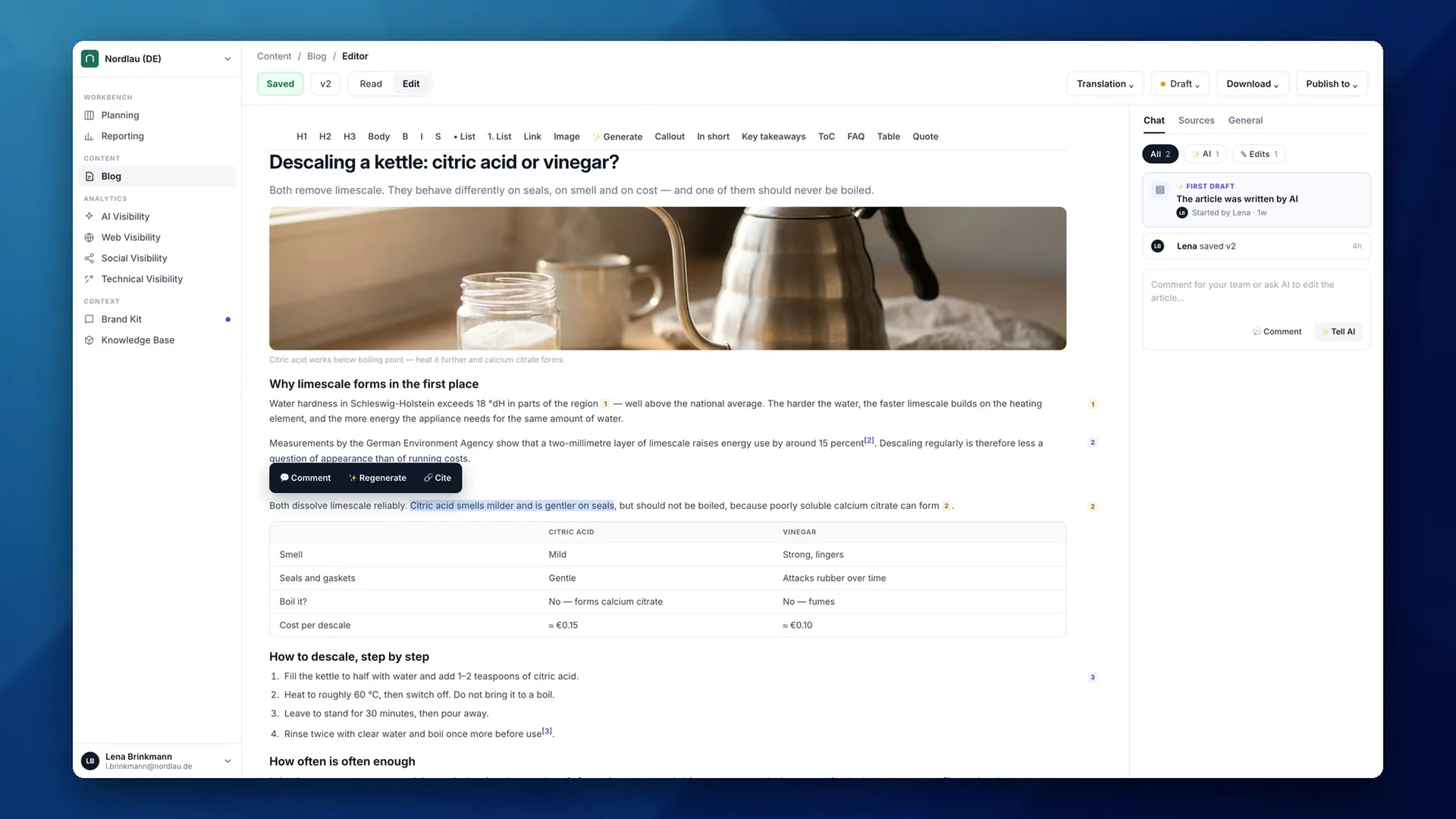
Open it, and the article is on the left with a panel on the right. Everything you need to review it is on this one screen.
Sources lists everything that was used to extract the information the article is based on. At the top, your own knowledge base files — internal, and never published. Below them, the pages on your own site it links out to.
Each source tells you how many times the article references it. Click that, and it takes you straight to the sentence, with the reference marked. That is the question reviewers actually ask — where did this come from — answered without leaving the page.
Amber markers are your own knowledge. Blue ones are outside sources, and those get published with the article. Each block that is backed by something carries a badge in the margin. So the blocks worth your attention are the ones with nothing beside them.
Switch to Edit, and nothing here is read-only. Click into any line and correct it yourself, the way you would in any document.
Or select the part you want changed. Comment on it, for whoever reads it next. Regenerate it, and the AI rewrites that passage and nothing else. Or Cite it, and give it the source it should have been resting on all along.
Images work the same way. Regenerate gives you a new one in your own brand's style. Replace swaps in a real photograph — and if you have real pictures, of your product, your premises, your people, use those.
However you change it, Chat keeps the record — who started the draft, who saved which version, and when. And it is where you leave a note for your team about the article as a whole.
When you are happy with it, you set the status yourself. Draft, reviewed, published. There is no reviewer to assign and no request to send — approving it is you, or someone on your team, changing this.
And this is the part that matters. Until it is reviewed, you cannot publish it at all. The platform says so itself — set status to reviewed to publish. So an article nobody approved cannot reach your site by accident.
Set it to reviewed, and the destinations open up. Straight to WordPress, Webflow, Shopify, or out to a Google Sheet if your site is somewhere else.
Reviewing does not just unlock the button. The article carries an author and a last-reviewed date, and both go out with it — search engines and AI models read them as a sign that somebody stands behind this page and keeps it current.
Next, we will connect your CMS, so publishing is one click and the article goes live on your own site.