A tour of the platform
We open the platform and walk the navigation end to end, so nothing in the later lessons arrives cold.
Transcript
The full voiceover, so you can read it, search it or skim it instead of watching.
You have already seen a few of these screens go past. This time we go through the platform part by part, and say what each one is actually for.
Everything lives in the navigation on the left, in four groups. Workbench is where you do the work. Content is what you produce. Analytics is where you look at how you are doing. Context is what the platform reads from when it writes. Know which group you want and you never hunt.
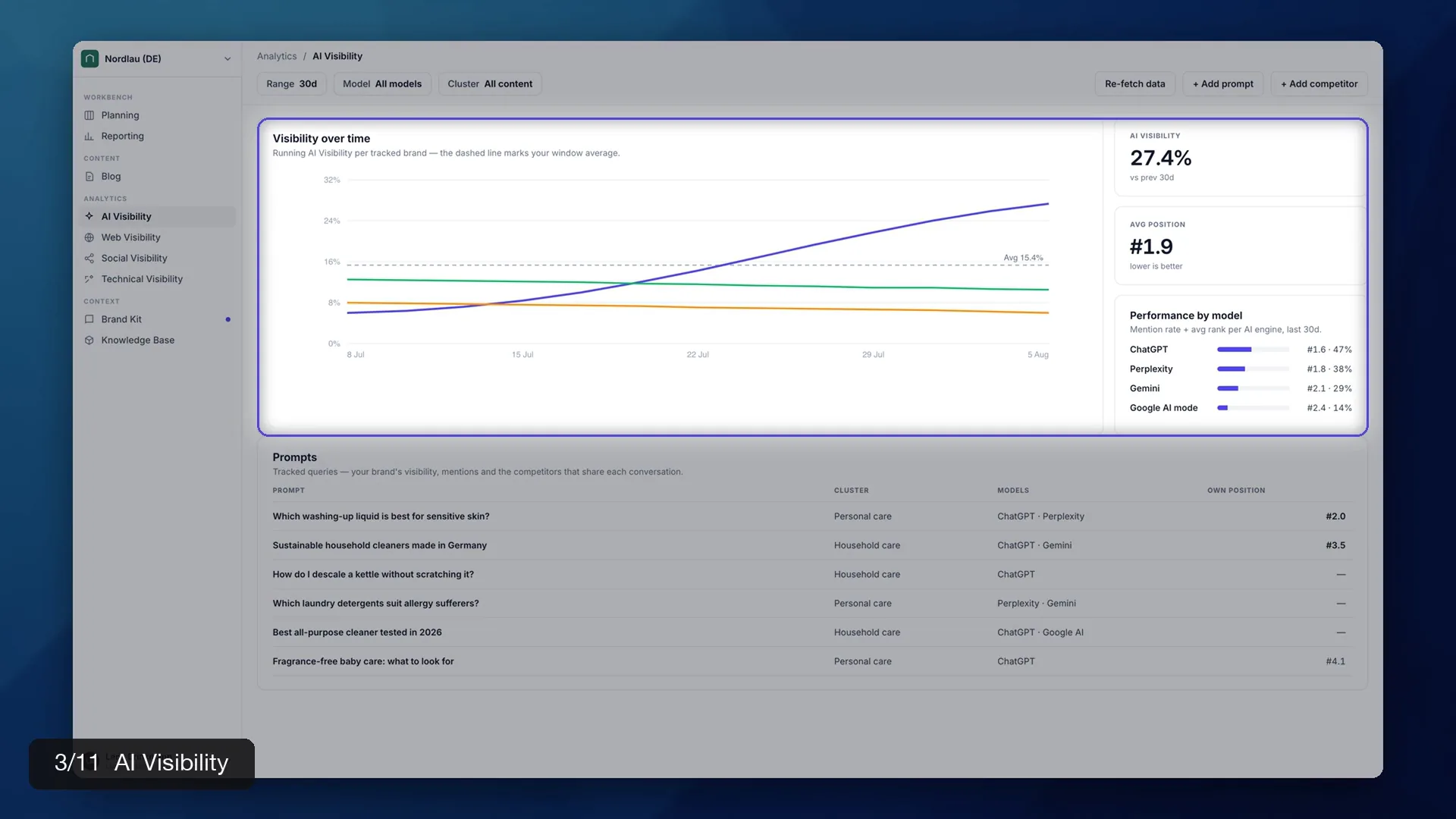
Analytics first, because it is the quickest way to see where you stand. AI Visibility is the headline screen. Visibility over time is your share of the answers when buyers ask about your category. Performance by model splits that by engine. Read it one engine at a time. ChatGPT and Perplexity do not behave the same way.
Further down the same screen is the Prompts table. Every query we track for you sits on its own row. You see the engines that answered and your own position. The rows with no position are the ones to look at. That is a question your buyers ask where you do not appear.
Three more views sit under Analytics. Web Visibility is classic search. Social Visibility is where you are being talked about. Technical Visibility is the health of the site underneath all of it. You do not need them in week one. Just know they are there.
Workbench is the next group, and Planning is where it starts. This is your content plan. The rows are grouped into clusters rather than listed flat, and that grouping is the point. A cluster is a set of articles that build authority on one topic together.
The Content group holds the Blog. It lists every article you have with its status. Draft, in review, published. This is the list your team works down day to day.
Open one and you are in the editor. The toolbar at the top carries Read and Edit and a version number. Publish to sits on the right. The panel on the side lists the sources behind the article. The whole job happens on this one screen. You brief, generate, edit and publish without leaving it.
Back in Workbench, Reporting is the other half. Clicks, impressions and sessions come from Search Console and Analytics. AI citations counts the answers that named you as a source. One chart underneath carries all of it over time. Set the range at the top, and export the whole thing as a PDF.
That leaves Context at the bottom. It is the group people skip. Your Brand Kit holds your voice and positioning. Your Knowledge Base holds your facts and documentation. Everything the platform writes is built out of these two. That is why the next two lessons are about filling them in.
One last thing. The breadcrumb at the top of every screen names the group you are in and takes you back up a level. Your account sits at the bottom of the sidebar. Next we open your Brand Kit. See you there.